
Introduction
Simulated auto trading rules can make crypto paper trading more structured when they are used carefully. Instead of clicking randomly or reacting to every chart movement, a paper trader can define a condition, let the simulator trigger a virtual action, and then review whether the rule actually supported the practice plan.
The key word is simulated. In SimuTradeX, automated rules are part of a paper trading workflow. They are designed to help users test repeatable ideas with virtual funds, not to connect to an exchange, give trading signals, or execute real-money orders.
Important: SimuTradeX is for paper trading only. It does not provide financial advice, trading signals, price predictions, or real-money trade execution.
What Are Simulated Auto Trading Rules?
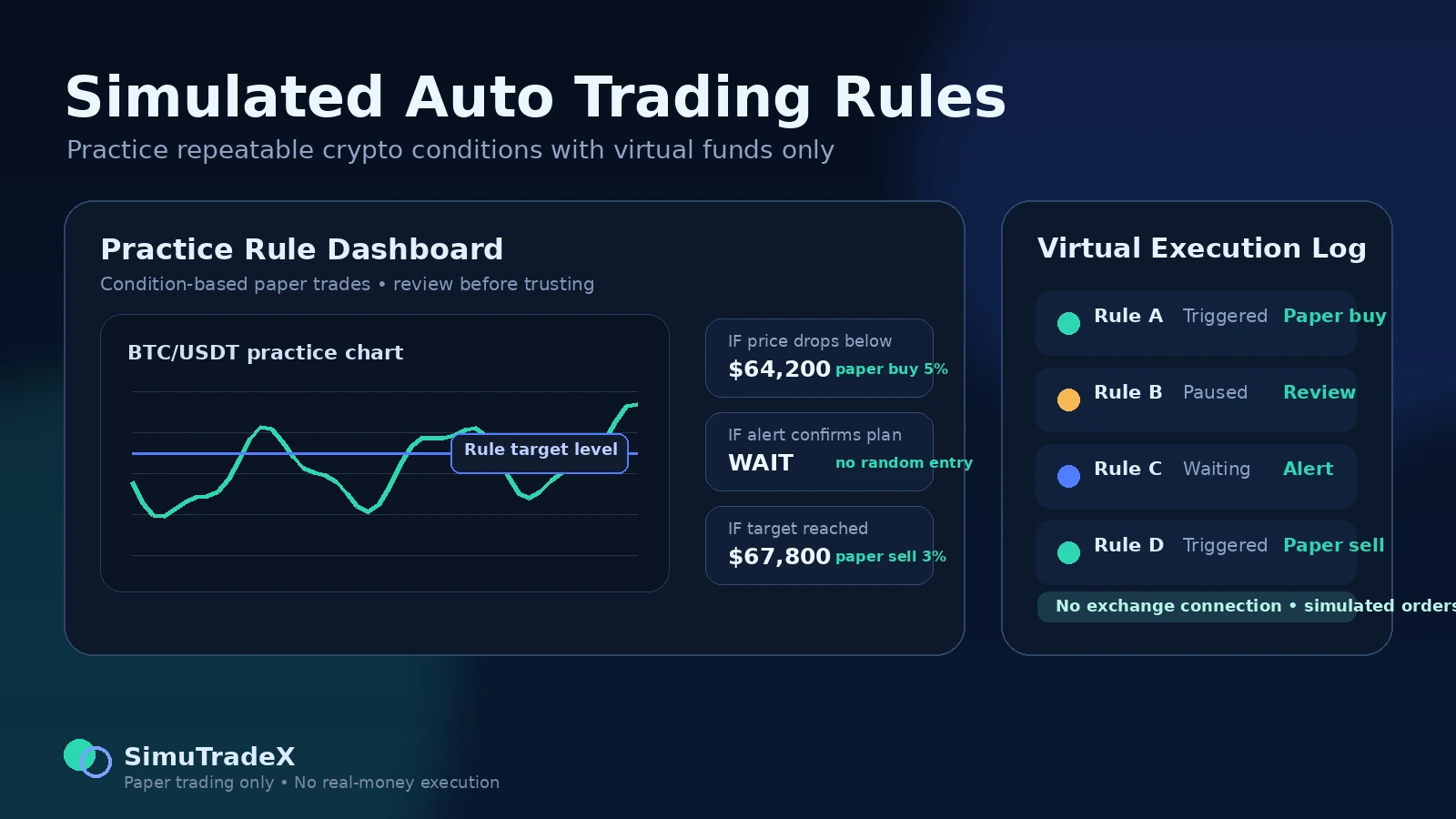
A simulated auto trading rule is a condition-based instruction inside a paper trading environment. A user defines a condition, such as a price moving above or below a planned level, and connects it to a virtual action such as a paper buy or paper sell.
For example, a beginner might create a rule that says: if a selected coin reaches a planned level, create a small simulated position. Another rule might reduce a virtual position when a target level is reached. The purpose is not to predict the market. The purpose is to test whether a repeatable process can be planned, executed, and reviewed.
Good simulated rules usually include a clear condition, a small virtual position size, a reason for the rule, a frequency limit, and a review step. Without those parts, automation can become another form of random practice.
Why This Matters for Paper Trading
Paper trading is most useful when it teaches habits. A simulator can help users practice entries and exits, but the deeper lesson comes from reviewing the process behind each decision. Simulated automation adds another layer: it tests whether the user can define a rule before the market moves instead of changing the plan afterward.
This can be useful for beginners because it slows the decision-making process down. The user must decide what condition matters, how much virtual capital the rule can use, how often it can run, and how the result will be reviewed inside a virtual crypto portfolio.
Simulated rules also work well with crypto price alerts. Alerts can remind the user that a level was reached, while automation rules can test a predefined paper action. Both should remain practice tools, not trading signals.
Manual Alerts vs Simulated Automation Rules
| Practice Tool | What It Does | Best Use | Risk-Awareness Question |
|---|---|---|---|
| Manual price alert | Notifies the user when a planned level is reached | Practicing patience and planned review | Did I wait for the level before acting? |
| Simulated automation rule | Triggers a virtual paper action based on a condition | Testing repeatable rules in paper mode | Did the rule match my written plan? |
| Virtual portfolio review | Shows balance, positions, allocation, and history | Understanding the effect of rules over time | Did this rule create too much exposure? |
A Simple Simulated Automation Workflow
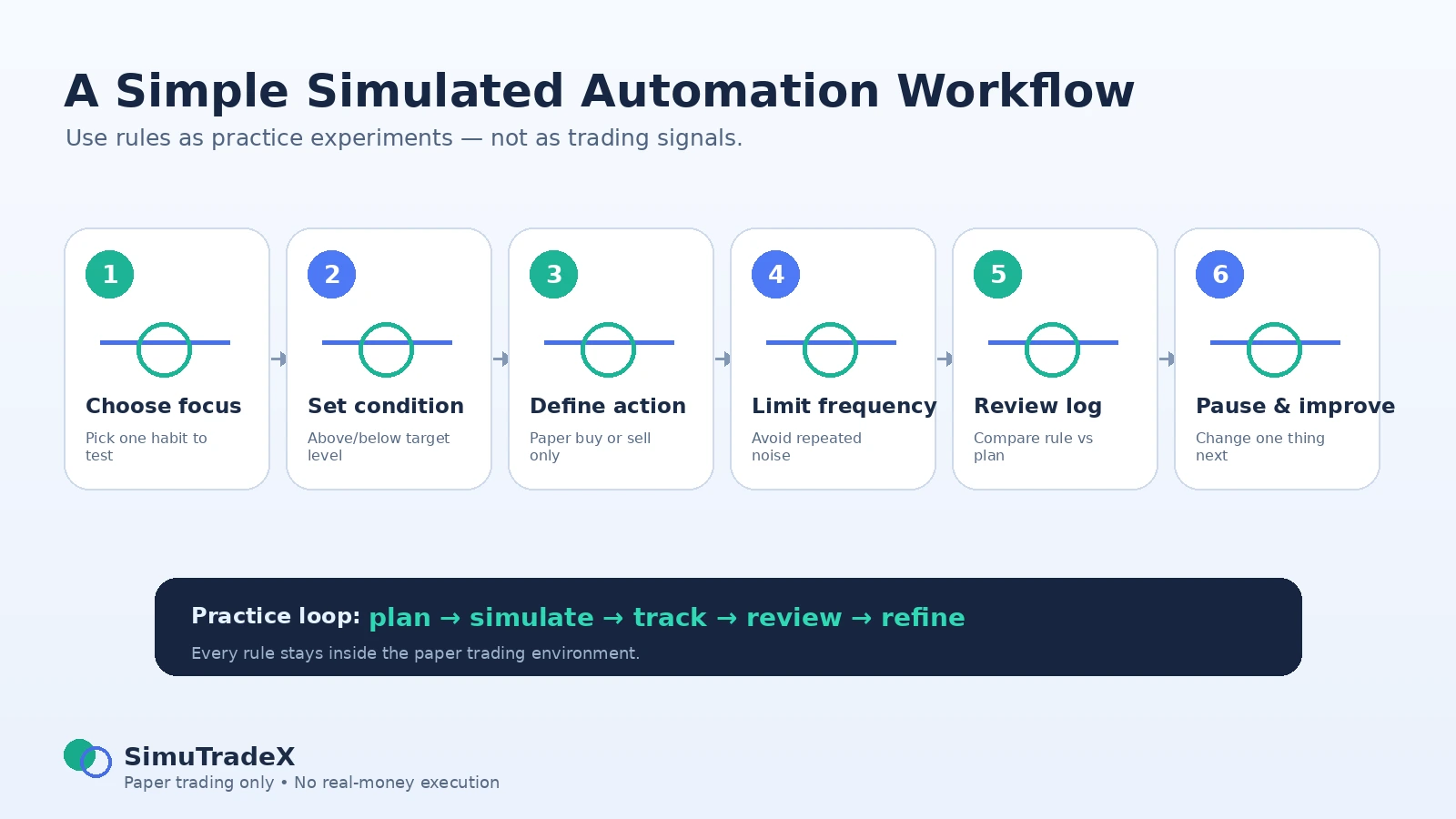
A beginner-friendly workflow should be simple. The goal is not to automate everything. The goal is to test one rule at a time and review it honestly.
- Choose one practice focus. Decide whether you are testing patience, position size, entry discipline, exit discipline, or portfolio exposure.
- Pick one coin or watchlist item. Avoid building rules across too many assets at once.
- Define the condition. Choose an above or below price level that connects to your practice idea.
- Set the simulated action. Use a paper buy or paper sell action only, with a limited virtual size.
- Add a frequency limit. Prevent the rule from firing too often during noisy market movement.
- Track the execution. Review what happened in the execution history and portfolio view.
- Write one lesson. Decide whether the rule should be paused, adjusted, or removed.
Practical Routine for Beginners
Start With One Rule Idea
Begin with one clear rule. For example, you might test whether waiting for a planned pullback creates better simulated entries than clicking immediately. Keep the rule narrow so the review is easy.
Limit the Virtual Position Size
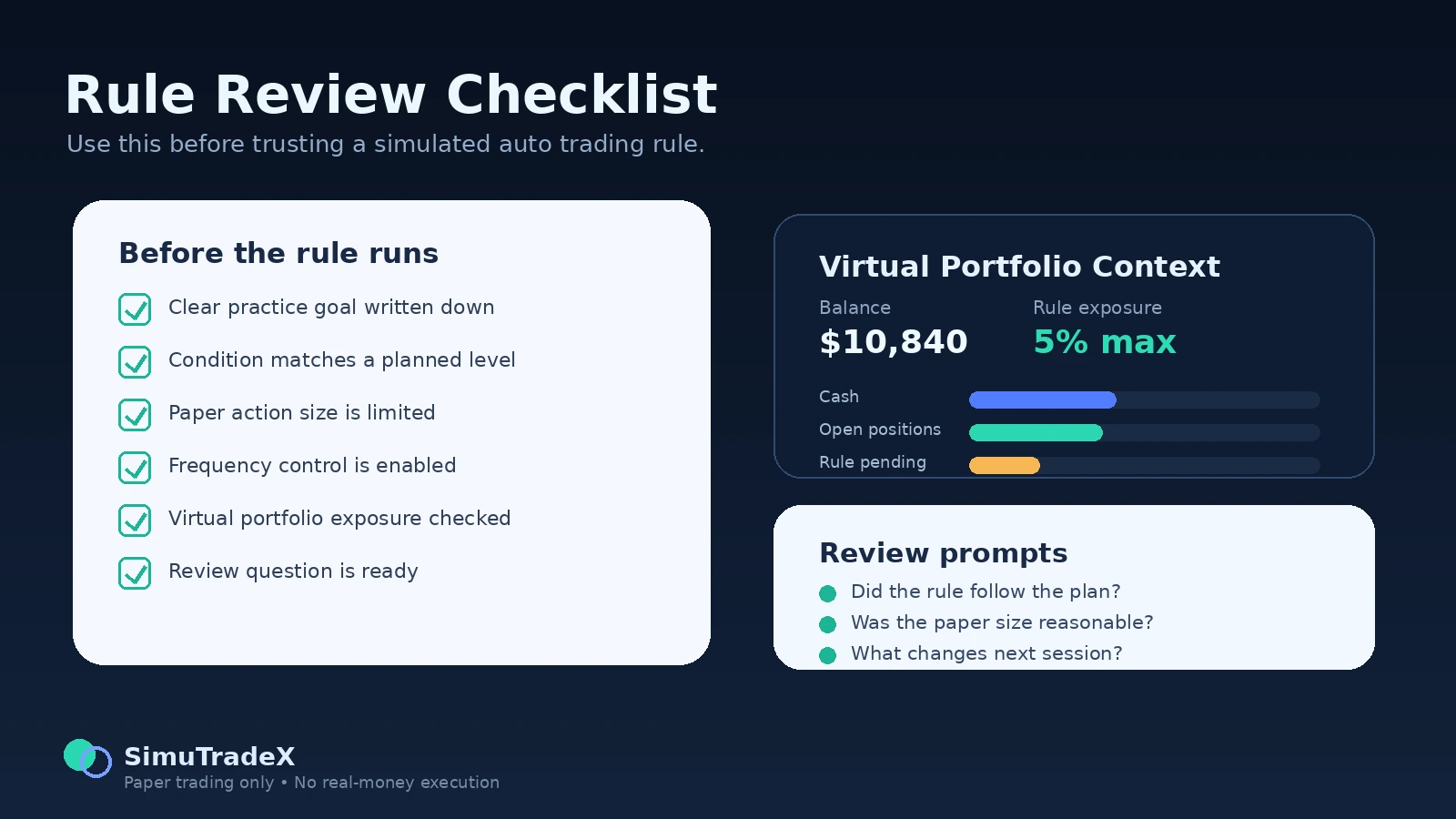
Before the rule runs, decide how much of the virtual portfolio it can use. This supports risk awareness inside the simulator. A rule that uses too much virtual capital can distort the practice session and make the review less useful.
Connect Rules to Notes
Write down why the rule exists. A short note can explain the planned level, the expected behavior, and the review question. This helps prevent the common habit of changing the story after the result is known.
Review Before Repeating
Do not let a rule run again and again without review. After a few virtual executions, pause and ask whether the rule improved your process or simply created more activity.
Common Mistakes With Simulated Auto Trading Rules
Treating a Rule Like a Finished Strategy
A simulated rule is an experiment, not a proven strategy. Paper trading can show how a rule behaves in a practice environment, but it does not remove real-market risk or guarantee future outcomes.
Creating Too Many Rules at Once
Too many rules can make review confusing. If several rules trigger around the same time, it becomes harder to understand which condition helped and which condition created noise.
Ignoring Portfolio Context
A rule might look reasonable by itself but still create too much exposure inside the full virtual portfolio. Review balance, allocation, and open simulated positions before judging the rule.
Skipping Frequency Controls
Without frequency controls, a rule can trigger repeatedly during fast or choppy market movement. This may create unrealistic paper activity and make the practice routine less disciplined.
Only Reviewing Virtual Profit or Loss
The final result is not enough. A good review also asks whether the rule followed the plan, used reasonable virtual size, respected alerts, and improved the next practice decision.
How SimuTradeX Supports Simulated Automation
SimuTradeX is built for structured crypto paper trading. Users can explore the broader SimuTradeX features, test simulated automation rules, plan levels with crypto price alerts, track the impact inside a virtual crypto portfolio, and prepare an AI-ready portfolio snapshot for review.
This creates a simple learning loop: plan the condition, simulate the action, track the virtual result, review the context, and refine the next rule. The platform is not designed to provide signals or execute live trades. It is designed to make practice more organized.
For users who want to begin, the safest approach is to start small. Create one rule, limit the virtual size, review the execution history, and only then decide whether the rule deserves another test.
Final Thoughts
Simulated auto trading rules can help paper traders practice discipline because they force decisions to be written before action happens. Instead of reacting emotionally, the user defines a condition, tests it with virtual funds, and reviews what happened.
The best use of automation in paper trading is not to chase performance. It is to improve the practice process. A useful rule should make the user more patient, more consistent, and more honest during review.
Paper trading only. No financial advice. No real-money trades are executed.
FAQ
What are simulated auto trading rules?
Simulated auto trading rules are condition-based rules that trigger paper trading actions inside a simulator. They use virtual funds and do not execute real-money trades.
Are simulated automation rules trading signals?
No. A simulated rule is a practice tool. It does not tell users what to buy or sell, and it does not provide financial advice, price predictions, or trading signals.
Can beginners use simulated rules for paper trading?
Yes. Beginners can use simple rules to practice planning, patience, position sizing, and review habits. It is best to start with one rule and review it carefully.
Do simulated rules connect to real exchanges?
No. SimuTradeX is for paper trading only. Simulated rules do not connect to exchanges or execute real-money orders.
How should I review a simulated automation rule?
Review the original plan, the trigger condition, virtual position size, execution history, portfolio exposure, and one improvement for the next practice session.
Should I automate every paper trade?
No. Automation should support learning, not replace thinking. Many practice decisions are better handled manually with alerts, notes, and portfolio review.